
To navigate to a User Profile, select the avatar icon from the top right.
The User header details will display the number of modules or Looms (as well as integrations) that are currently active for a user.
The User Profile will allow a user to view their details as well as view and edit their account settings.
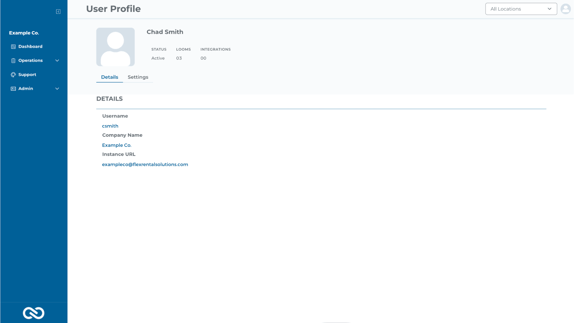
The Details section allows users to view details provided by their Flex account. Notice your contact image is pulled from your Flex contact.
The Settings section allows users to view and edit their account settings, such as date formatting, temperature scale, and auto-logout options.
- Selecting the auto-logout drop-down will provide the options for 30-minute, 1-hour, and 3-hour intervals.
- Date formatting offers 5 settings: MM/DD/YYYY, DD/MM/YYY, YYYY/MM/DD, YYYY/DD/MM, and Month Day, Year.
- Temperature Scale options are Celsius, Fahrenheit, and Kelvin
After configuring user settings, select "Update" from the top right or "Cancel" to discard changes.